

If It’s Difficult, You’re Doing It Wrong
What I learned in Japan about design that works


Last week, I was standing in a 7-Eleven in Nara, Japan on spring break, and before setting off to explore the charming city, I stopped to buy an onigiri rice ball as a snack. While checking out of the 7-11, I remembered something from the time when I lived in Japan. My friend Soichiro taught me how to open onigiri about twenty years ago by following the numbers on the packaging: three tabs, a folded plastic wrap that keeps the seaweed crispy and separate from the rice until the exact moment you want them together. Precise folds, purposeful sequence, color-coding— to me, it was the kind of design that seemed to draw upon the wisdom of origami.
Check out the video below of me showing the packaging of an onigiri and how opening it is easy and leaves the seaweed dry and crunchy. Fun fact: 7-11 wraps their packaging in bioplastics!
Actually, Soichiro was not there the first time I tried to open one on my own. I just started pulling at the plastic like I was unwrapping a granola bar. I tore straight through the seaweed, the rice went everywhere, and I ate a slightly soggy, structurally compromised snack standing outside a convenience store, feeling very foreign. The packaging already had the answer, though; three numbered tabs, right there on the wrapper. The design was not the problem. I just didn’t stop to read it.
Over the remainder of my trip, I kept noticing the same well-designed logic everywhere, from vending machines to train exit gates to conveyor-belt sushi restaurants. One of my favorite designs was a paper cup dispenser with a single button to release exactly one cup from a locked stack. I watched a tourist wrestle with that type of machine for thirty seconds before noticing the button. Back when I lived in Japan, I learned that when I struggled with something like a paper cup dispenser, the right response was to self-correct. That is, if something is difficult to open, use, or do, you’re probably doing it wrong. In Japan, the user experience is often carefully planned and meant to be easy.
I came home thinking about teaching and learning, and I kept thinking: what if we applied the same logic to classroom instructions? Much like a wrapper with instructions, classroom instructions should be easy. The task should be where the energy is put. Students’ effort belongs to the thinking, not to decoding what you want them to do. In other words, opening the onigiri was not the point. Eating a delicious snack was. The packaging exists to serve the experience, and the best packaging gets out of the way quickly. Classroom instructions work the same way in that they are the vehicle for learning, and not the purpose or when learning happens.
Picture a high school student with four classes, each coming with lengthy instructions and teachers who carefully cover every edge case before anyone touches anything. By the time a student opens a task on their computer, they are more glazed over than a honey-baked ham! And because we live in an age in which everyone is using AI, they’ve probably got their favorite model running in the background of their laptops. Once they reach the point that the instructions become overwhelming, the internal monologue becomes: I honestly couldn't care less. I'm exhausted. I just want to get through this. This classroom and day-to-day experience sets kids up to have a mentality that is vulnerable to AI misuse. Kids who feel less engaged and disinterested will want to complete tasks quickly, and AI can provide a shortcut.
If your instructions lose them from the get-go, you’re heading in the direction of compliant task completion. Too much teacher talk that muddies the instructions might indirectly push them toward feeling overwhelmed and toward a desire to cognitively offload the task as efficiently as possible.
My suggestion is this: get into the intellectually engaging, stimulating process of active learning in class. The better you can design your instructions to be short, verb-based, and clear, the better. If you are noticing friction with instructions, processes, or any element, that difficulty is highly informative and can help us to adjust.
So in other words: difficulty is data.
The Look on Their Faces

A quick clarification before I go further. Direct teaching is a powerful tool (see Hattie’s work). There is absolutely a time to stand at the front of the room and teach. This article is not about that moment. This article is about when you ask students to do something, and you are explaining how to engage (e.g., create, discover, reflect, collaborate, analyze, build). The task is meant to generate learning, and before any of that can happen, you have to explain what to do. From my experience as a teacher and coach, fifteen minutes or less with an exemplar is the limit.
When teachers overexplain instructions, it leads to a kind of glazed-over, fading anticipation mixed with compliance. It’s funny too, kids will avoid asking questions because they just want to get on with it, even though they actually have many things they want to ask you, they bide their time and plan to ask a classmate what they are actually supposed to do.
Myth: good instruction means frontloading every common misconception and pitfall before students have touched the work. To be clear, anticipating roadblocks is good design; that is what Universal Design for Learning asks us to do. But there is a difference between designing for barriers and narrating all of them upfront before students have had a chance to think. When teachers over-explain every obstacle in advance, they usurp the learning; students never have to construct cause and effect for themselves because the teacher already did it for them. They arrive at the work with a head full of caveats and nothing left to figure out. That is not so different from handing a task to AI in that the thinking gets outsourced before it ever begins. Just as we don’t want AI to do the work for students, we also don’t want teachers to do the work for them either.
I used to be the over-explaining guy: I’d hover while students work, point at their screens, announce new pitfalls I just remembered or noticed, and announce that there are thirteen minutes left. I would not necessarily call that a rich thinking environment; you know what kids are thinking in that situation? I’m going to just get through this block so I can go home and do it on my own, and I’ll just ask AI and my friends if I get stuck.
Could you imagine if 7-Eleven sold onigiri that required 27 steps to open, and a lengthy training video that walks you through every possible way it could go wrong, and then you are given 13 minutes to do it, while in the back of your mind you know that you have a really important train to catch at the station? You would be exhausted, uninterested in the snack, stressed, and looking forward to the whole thing being over.
If we are explaining the instructions to an activity and the students have their heads down, that’s data. It is the equivalent of struggling with an onigiri wrapper. It does not mean your students are necessarily unprepared. It could mean your instructions have friction in them, or the students are just not paying attention due to distraction, confusion, or feeling overwhelmed. Every minute a student spends decoding your instructions is a minute they are not spending on the actual thinking you designed the task around. That thinking, the brainstorming, the analyzing, the revising, the reflecting, is where the learning happens.
Teachers are designers who are constantly testing their products and empathizing with their clients. So with that design thinking mentality, when students look lost before the learning starts, we can think of this as an observation in which we ask ourselves: what did I build here? What can I subtract? How can I activate thinking and step out of the way? How can I provide just-in-time feedback?
Monday-Ready Moves
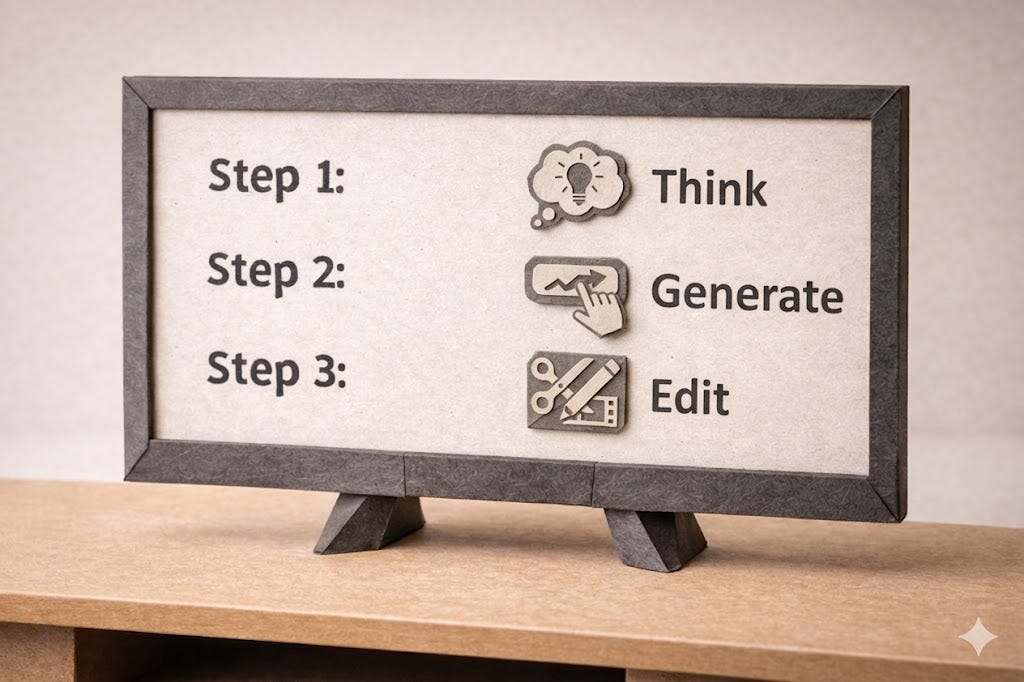
Here’s a list of a few strategies that I have seen work as a teacher and coach. They directly support process-based learning in that a strong process can actually serve as clear instructions that do not necessarily require lengthy explanation.
1. Limit teacher talk. Read your instructions once and keep the total instructions to 15 minutes or less. The shorter your instructions, the more energy your students will have. If you are still talking after 15 minutes, something needs to come out, or additional instructions can happen later in the same lesson. Again, this is not for direct teaching in which essential information has to be taught; I’m talking about the instructions for an activity.
In terms of designing a slide, make the words large and easy to read from across the room. Don’t write all the instructions, just the main points so they can recall what they’re supposed to do.
2. Lead with an exemplar. Show before you explain a model paragraph, sample sketch, before-and-after comparison, etc. When students can see the destination, your words serve as confirmation as they build theories about the task and its outcomes, rather than as orientation.
3. Use verbs to name the thinking. Replace vague nouns with precise action verbs. Not “work on your essay” but argue, support, challenge, revise. Not “think about the data” but interpret, compare, decide. Verbs tell students what their brains are supposed to be doing. They also support clear expectations about where AI can or cannot do the move for them (#4 below). For more independent students, you can also ask them to engage in metacognition before starting by considering which steps in the process would be most strategic for meeting the learning objective, then, as they are ready, proceed with their own.
4. Name the AI expectation for each step. For every thinking move, students need one clear statement: what do I do, and what does AI do here? For example, “AI will give you counterarguments, debate it, then record your key findings in your process journal.” Another example could look like, “No AI on this step; this is your thinking.” Vague AI expectations can invite interpretation. A single sentence per move removes the guesswork and keeps the cognitive effort where you want it: on the learning, not on figuring out the rules. For older and more independent students, you can also co-design AI agreements together.
Students also tend to like when teachers allow AI on a step in a process that they create a purpose-focused bot for them to use (e.g. on School AI, Flint, etc.) That way they feel less anxious about misusing AI on the task. Students all have access to AI and will likely use it at some stage, but you can make doing the right thing easy.
5. Tell them “the why of the how”. Once students know what they are doing and how AI does or does not support each step, add one more sentence: why this particular approach? “We are using journals here because writing slowly pulls thinking out of your head and away from the distraction of your screen.” Another example might be: “We are using AI to role-play as an audience member so you can practice your speech and feel confident before you perform it for real.” Using that language is a direct signal a teacher can send: I thought carefully about how you learn, and I chose this because I want you to succeed. That message contributes to belonging, trust, and independence because it helps students see a process as something they can actually use again on their own.
Conclusion

I am not saying instructions should be dumbed down. I am saying they should be carefully designed, succinct, and clear to help students access the thinking that leads to deeper understanding. Dumbing down removes the challenge and presupposes students’ incapability— what you might say is setting low expectations. Focusing our language during instructions removes the confusion so the students can engage in the process and put effort where it matters.
Students should struggle with the counterargument, wrestle with the revision, sit with the discomfort of a claim that does not quite hold up yet. That productive struggle is where growth happens, and it is worth protecting. Let’s help students put energy into that thinking and not want to turn to AI for task completion.
Look for signs that students are thinking. They are writing, discussing, touching their faces, drawing, reading, etc. If they move immediately into the thinking, you have built something that facilitates their thinking. If they look low in energy, slumped down, or frustrated, change something.
The second time I opened an onigiri, even with Soichiro showing me how, I still tore the seaweed a little, and that moment of friction is exactly what made the experience stick. I learned from it and gained independence from Soichiro as my teacher. I never tore it again and actually went on to show my friends how amazing it was to eat.
When it came to that onigiri, though, the packaging was never the problem. The instructions were printed right there with three numbered tabs. When I tore the seaweed, it was not because the design failed me; it was because I jumped straight in without reading. The moment I paused, or when I had an example to follow (Soichiro modeling it), it worked. That is the other half of the teacher’s job. Write instructions that are clear, yes. But then create a pause, ask about their clarity, read them aloud together, point to the exemplar, ask students what they will do first, second, third. Give students a moment to actually look before anyone touches anything. The packaging can be perfect and still get ignored if nobody stops to read it first.
When they struggle with the task itself, that is not a problem; in fact, that is the point! Struggling with a counterargument, sitting with a claim that does not quite hold up, wrestling with a revision that keeps slipping, that is productive. That difficulty is data too. It is just pointing at the learning instead of the design.
AI Disclosure

This article was started with Claude 4.6. It started with me dictating long and disjointed ideas on a train leaving Osaka, using voice-to-text as a way to capture a loose set of noticings and half-formed ideas\. I shared the transcript with Claude and used the conversation to brainstorm, push back on my own thinking, and gradually move from a vague noticing into something more structured.
Then I took a two-hour Shinkansen up to Tokyo and looked at misty mountains and patches of cherry blossoms along the way. My favorite German electronic music, Apparat, on headphones. I had time to think, write, and look out the window at nothing in particular, which turns out to be one of the better conditions for getting ideas to settle into something real.
I want to be transparent about what that human-AI collaboration looked like, because I think it matters. The ideas in this article are mine; the experiences are mine; the framing is mine. Claude helped me organize, sharpen, and refine them. There were moments it wanted to take things in a different direction, toward UX frameworks I did not need, or toward sensory details that sounded vivid but making my writing verbose.
I share this because I believe we should normalize transparent disclosure of AI in writing, especially those of us asking students to do the same. If you are not disclosing, you could be modeling secrecy.
I wonder if I were to name my process, it might look something like this:
Speak. Use Claude to organize your verbal ideas. Think outloud and share what you are currently thinking, then the AI can help you to organize them into a narrative outline.
Develop. Take the outline and write your ideas out. Do this step without AI.
Edit. Take your first draft and show it to Claude. Ask it what it thinks about your flow and connection of ideas.
Revise. Independently on a bullet train in Japan, re-read your draft a few days later with a fresh perspective and consider your draft. Edit it using your expertise as a teacher and ensure the article has clarity for your given audience of educators.
Share. Schedule your article to go out on Monday morning to share with your community.
After the content was written, I went back to add extras to make it more engaging like pictures for each section and a video of me opening the onigiri. The video was me in the streets of Nara actually opening a tuna and mayo rice ball, but the audio was enhanced using Adobe’s Voice Enhancer. The pictures throughout the article were cited with the model and process I used in their creation; all were generated using ChatGPT or Gemini.
I also want to state for the record that the en and em dashes used in this article were all me! I’m reclaiming them!
Thank you so much for reading this article. If you found it helpful or enjoyed its content, please hit the like button, or go one step further and send it to someone who you think might like it.
If you want to try building your own process, I have a free tool at aiep.lovable.app that walks you through it step by step.