Process Journal Builder at processjournal.lovable.app is a free tool that interviews students to help them produce two things. First, a process to meet the class’s learning goal, and a PowerPoint journal to document they processes. In short, it takes the core ideas of my work (verbs, expectations, and documenting learning) and supports students to practice them independently.
I vibecoded it with Lovable. It also sends students’ answers to DeepSeek through an API call (that is, a Chinese LLM generates the response). It’s free for students; I cover the fraction of a penny each call costs. And it’s rad. Because it uses DeepSeek, please see my note at the bottom of this article about privacy before you deploy this in your class so that everyone is aware of student data, privacy, and safe practices.
Getting Started in More Detail
Start with a learning goal.
The most important thing is that students identify a goal, learning objective, purpose, or something similar; often in class, that objective is already provided by things like standards, or their teacher. If the teacher already shared a goal or success criteria, students can put it in their own words. Rewording it is a small, early check on whether they understand what they’ve been asked to do and encourages them to not just recall the objective, but also to unpack it and grapple with its meaning.

Answer the follow-up questions.
To kick off their interview, the website will ask students metacognitive questions to get them to anticipate their strategies and ways of thinking for this particular unit of student. That’s another AIEP called Foresight. It asks students to find what the task requires, focus on the part that matters most, and act by deciding how to begin.
Decide when to use AI.
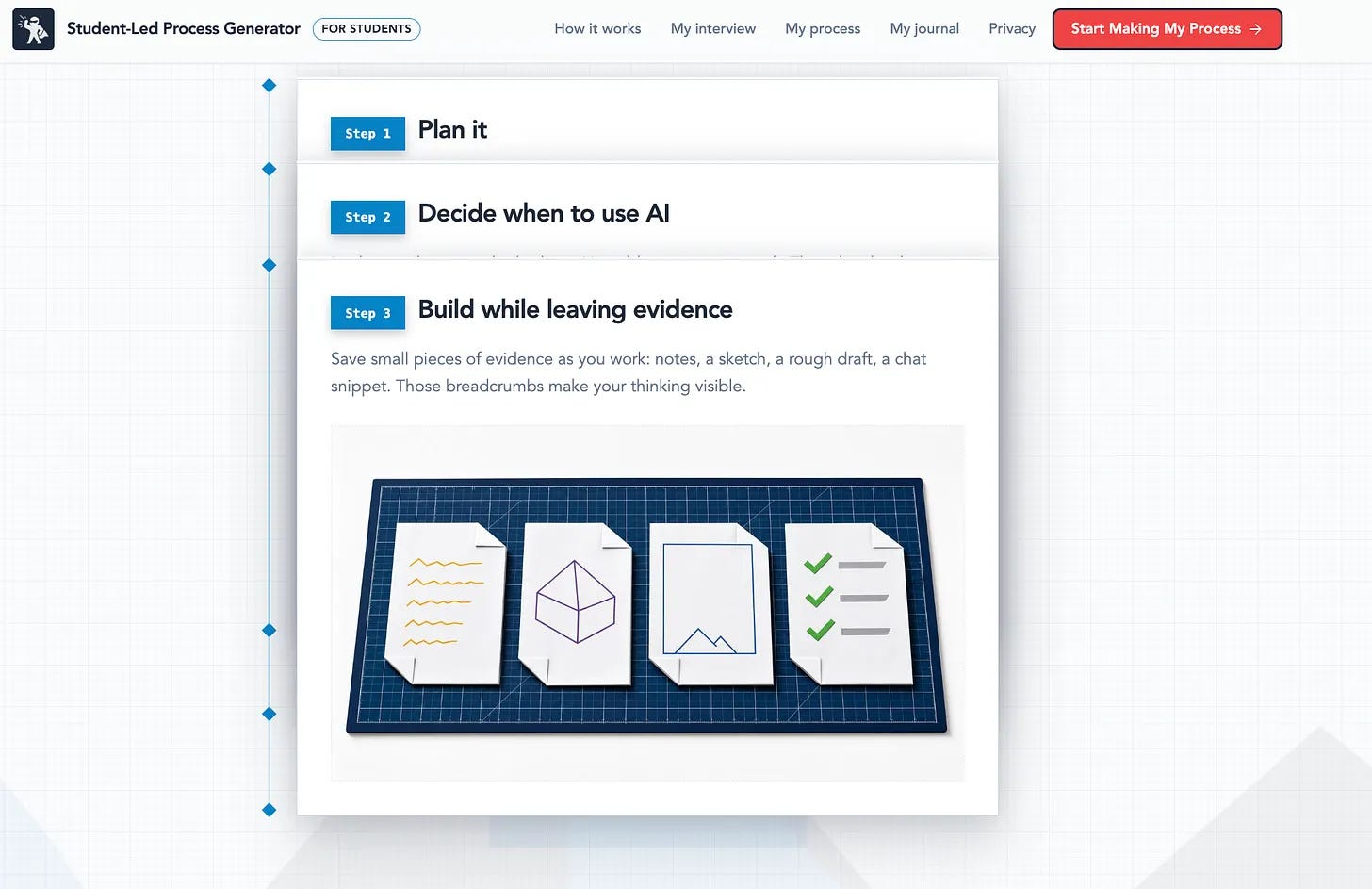
Each step will show a plan for AI, and “no AI here”. And remember, that’s one of the hallmarks of an AIEP: clear times that AI supports specific thinking moves, and times when it doesn’t. Every process is different, but we want to be intentional about when and how we use AI with our students. For example, maybe AI suggests search terms during research, isn't part of brainstorming, and later plays the role of a skeptic. A student should be able to explain those choices later to support their metacognition and growth.

When students generate their process journals, I encourage them to treat the first output as a starting point rather than a perfectly polished plan. It’s easy to trust AI, often because of its ever-increasing capacity and confidence; the output (the journal, in this case) can look organized, with numbered steps and confident language. But the AI only knows what the student told it.
This is the point where I would ask students to slow way down. I want them to read the process critically, adjust it, and keep the conversation with the AI going until the plan fits the thinking they actually need to do. A few questions help here: What’s missing? Where would an expert spend more time? Am I skipping a step because the AI skipped it? It usually takes a few rounds of messy back-and-forth. This is critical thinking in action. Analyze the heck out of the output!
Export your process journal.
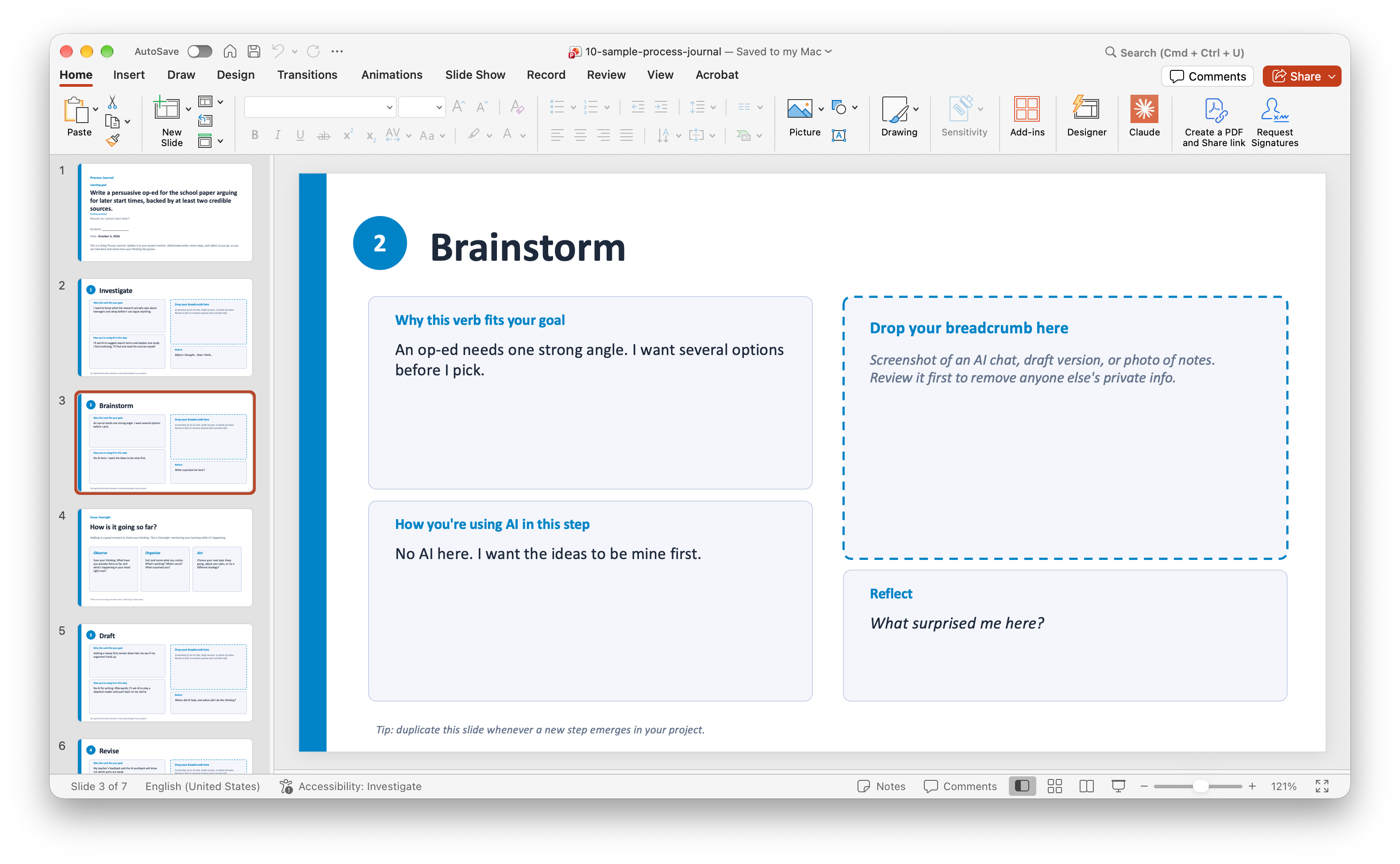
When the process is nearly there, students can hit the Export button to get a PowerPoint file. The opening slide will always show the learning objective to keep it front and center. After that, each step has its own slide, with space for a breadcrumb and a short reflection prompt. The idea is that students can duplicate slides if they need more space, rearrange them if the order needs to change later, and drop in slides with pictures along the way which is one of my favorite things to do because it acts as a visual reminder of when they did specific things and how it related to a bigger picture.
Visible process steps, photos to recall and tell stories are great, but that’s not all! It’s also easy to project and full-screen-share the process with others. Imagine kids say, “Hey, everybody, this is where I am in my process. These are my steps, this is how I’m choosing to use AI, this is what worked, this is what didn’t.” PowerPoint is meant for that quick sharing along the way and also sharing for collaboration and comments. Love love love it because that helps us honor the process along the way rather than just jumping in and seeing the final product.
Teachers: Bringing It into Your Classroom
I think there are two ways you could use it. You as a teacher could generate a template for the class if they are less independent as learners. No problem. You could walk through the generator and make a process journal template, then share it through your school’s Learning Management System with each kiddo getting a copy.
Another approach for independent learners could be to have each of them visit the site and generate their own processes, which is its original purpose. Before turning them loose, though, you might want to try it yourself so you can support your students through the planning a process.
Below are a few talking points that you can use in your class and say to your students.
“This journal is yours first. It serves your learning.”
“You’ll share it with me and with others because we want to see you grow into an independent, thoughtful user of AI.”
“Your process is allowed to change. When it does, add a new slide, jot a note in the speaker notes about what changed and why. A pivot with reasoned judgment is a powerful piece of evidence that you can use later in your reflections.”
“Collect evidence as you go. Snap a photo of a sketch, a sticky note, a rough draft, a photo of your team collaborating. Remember, this journal serves you and your learning first and foremost.”
If it’s students choice to use AI: “If you choose to use AI, please indicate your thought process on things like why you chose to use AI, what it made possible, and how you stayed in control of the interaction as a critical thinker.”
If it’s not students choice when to use AI: “On this assignment, you may use AI in these specific times and ways: ______________. When you are planning your process, please take note of this.”
Designing your own process is a skill! Let students have productive struggle and work through challenges. Reflect at the end of the process and take notes about what they want to keep in mind as they design their next processes. Think of this as scaffolding meant to support students to eventually become wise and independent adults who use AI in ways that enhance, and not replace, their thinking.
Note on Privacy
In General
Before you share the link, it is worth noting what happens with user data on the website. Please read For teachers and schools on the privacy page. The tool sends students’ answers to DeepSeek, a model based in China. So check what your school permits before asking students to log on and start using it. Always err on the side of caution. Second, the site asks students to keep private information out of their answers; you, as their teacher, should say or read it out loud in class, too. Make safety with AI a habit that you practice and model.
It’s also worth nothing that the website doesn’t know which platforms your school approves, what has been communicated to families, or what your class treats as off-limits. You should check with your administration and get all the information before asking students to log on.
Invitation
Want to give it a try? Pick one upcoming assignment with a few weeks of runway, so the Oversight slide has a real middle to land in. Go to processjournal.lovable.app, model one process with your class, then let students design their own.
Then tell me how it went. Reach out through the About page or LinkedIn. I’d especially love to see a journal with a messy middle.