


What are the cards? Why use them?
These cards help writers, students and teachers alike, to slow down before drafting starts.
This set has two types of cards. One set helps you name the steps you actually want to follow: planning, generating, revising, and reflecting. The other set clarifies where AI fits into each of those steps, and where it doesn’t. Lay them out together and you have a way for writers to make deliberate choices before the AI guest shows up and reorganizes everything. Students can map their own approach. Teachers can design and model a process where AI has a clear, intentional role rather than a vague, open invitation.
Using cards is handy because you can move them around, reorder them, hand them to someone in your team, and when you’re done, take a picture of them! Or print them as large pieces of paper and hang them on the wall!
Let’s take a look at what some of the cards look like. On the top, you can see the purple process cards, while on the bottom you can see the gradient of some of the different expectations on how much AI can be used.
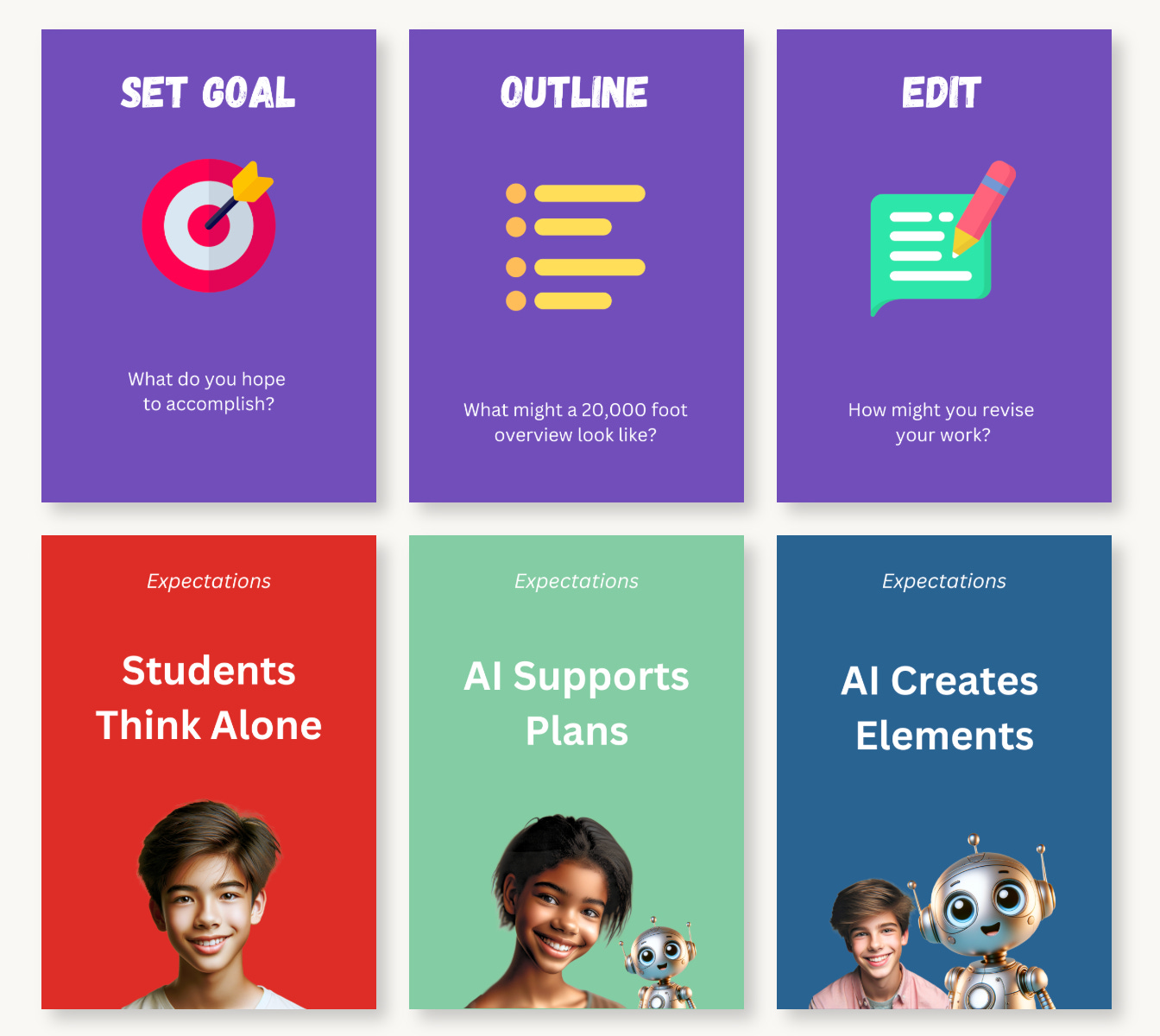
Ready to get the cards? Below is the PDF, saved in an RGB, flattened PDF. The set has 4 expectation cards per level, 14 process cards, and 4 wild cards.

Using the Cards
Use the Process Cards to consider the best way to write for a given task. Second, use the Expectation Cards to decide when and if AI can be used in that task. There is no right or wrong way to use these cards!
Option 1 – Student Directed Approach. Older or more independent students can use these cards to lay out a process timeline and consider what will happen first, second, third…
Option 2 – Teacher-Directed Approach. Teachers can plan what process they would like their students to follow by laying out, debating, and considering the various steps to assign to their students.
Option 3 – Print Outs. These cards are A4 paper size and can also be printed out on a regular photocopier. Try putting them on a whiteboard for the whole class to see and use together.
Option 4 – Your Own Idea. Come up with other fun and engaging ways to use these cards. Use them as manipulatives to find the best way to work!
Setting Up
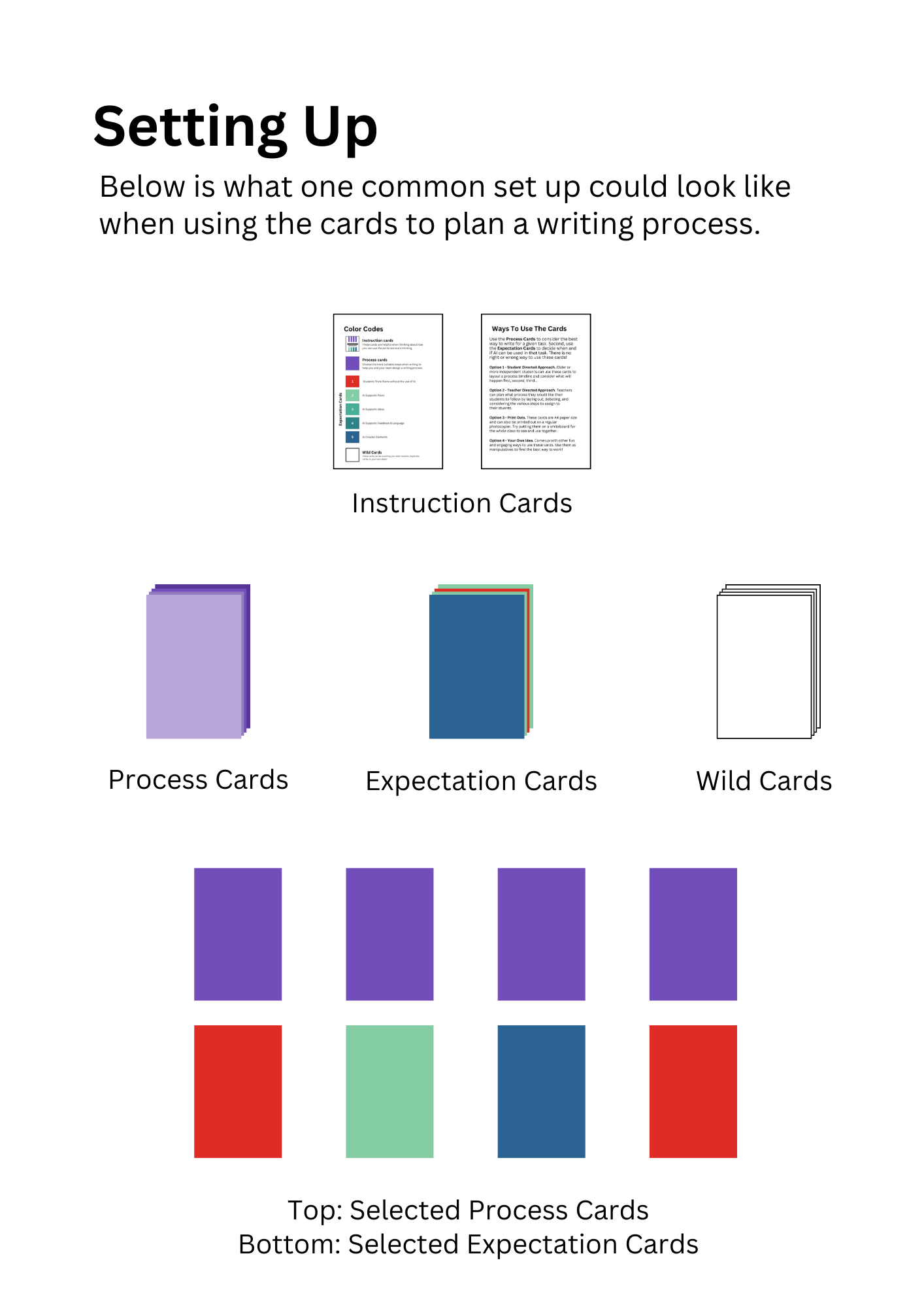
Let’s take a look at what a typical setup could look like when using the cards.
Printouts for Your Classroom Whiteboard (A3 or A4)
If the format of cards isn’t suitable for your needs, teachers have the option to print them using your school’s photocopier and display them on your whiteboard instead. Below are the downloads to assist you with this, along with an image of a possible setup. These materials are ideal for printing on a photocopier and can be attached to your board with magnets or hung in your classroom. Note that these downloads include only the fronts of the cards.
Virtual Cards on Padlet
Use this tool to save paper & money, help each student set their own goal and share their thinking with you, collaborate virtually, and save your thinking in one place! This Padlet has all the cards on the right-hand side and is ready for you to move the virtual cards around and to plan your writing process!
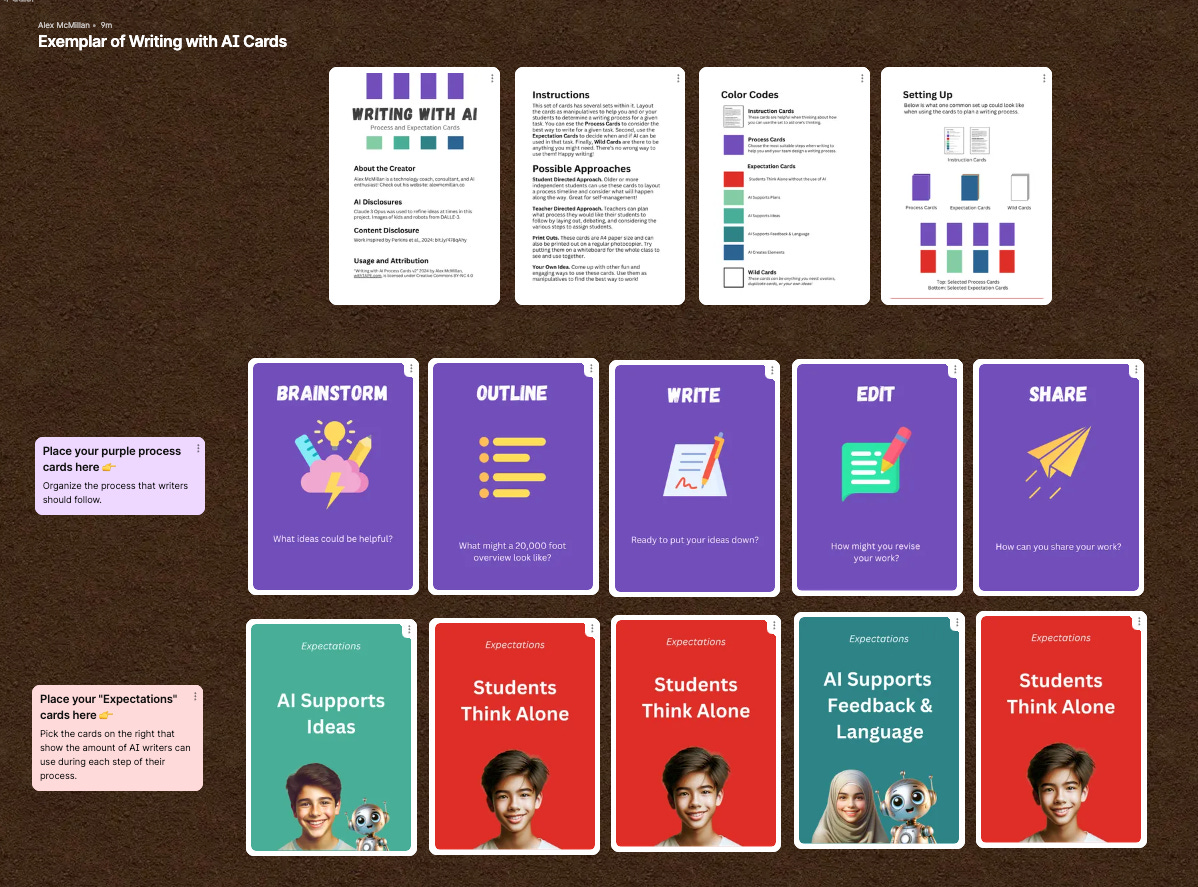
Click this link to make a copy in your own Padlet.com account: https://padlet.com/MrAlexEdTech/remake-link/ldENvGQ6ypxLzjo5