



Intro
I’m closing out the school year by slowing down to actually look back and make sense of what happened. It’s a metacognitive act that I, for one, could certainly do more of.
Over the next few weeks, I’m inviting a few guests from the podcast episode “How Did It Actually Go?” to guest-write an article. Each of them agreed to go a little deeper in writing, reflecting on how process-based learning with AI actually played out in their schools.

Writing is both output and thinking. Writing is the actual process of figuring out what you believe. I’ve found this idea to be true on this Substack, and I think my guests have too. There’s a depth in that kind of deliberate slowing down that I haven’t always experienced with AI-generated text. Personally, I can’t help but wonder whether that reflective habit is at risk. The world is moving fast, and every week there’s a new exciting model. Deliberate slowing could look inefficient in that context and anti-zeitgeisty.
With that, I want to thank Aimée Skidmore for this week’s post, which sits at the center of this discussion. Aimée teaches Grade 12 in Geneva and thinks hard about when GenAI is in the room, how we can maintain student agency and effortful thinking, as they are prone to wanting to move too fast in the name of completion. To get students to deliberately slow down, she created something that she calls gates that serve as pauses, or deliberate moments in a thought process, where students have to show what they are actually thinking before they earn the right to move on. The idea came from the game Dungeons and Dragons, which tells you something about how Aimée thinks. She’s practical, a little playful, and genuinely curious about the tension between structure and ownership in a classroom where AI can skip the messy middle entirely.
In this piece, she walks through two iterations of the same project, what she noticed between them, and the questions she’s still thinking about. The Monday-Ready resource at the end is concrete and immediately usable, with a checklist of things we can do with gates in a process.
Make sure to follow Aimée on Substack. Enjoy!
From Aimée
When students use GenAI, the worry is that they’ll outsource the final product. But the bigger risk is that they outsource the messy middle: the testing, rejecting, revising, deciding, and explaining.
So many of us avoid this issue by designing around GenAI. And I used to spend a lot of time wrangling with how to do this with some of my lessons and projects. Now, I spend less time doing that and more time engineering moments where students have to show what they are thinking before they move on.
My Grade 12 students were working in pairs to build a chatbot to help another student practice a certain habit of mind, like persistence or thinking flexibly. I wanted them to work through a Design Thinking process of empathy, define, ideate, prototype, test. Some of these steps involved getting support from GenAI, and some were not. I wanted them to be balanced in their use of tech.
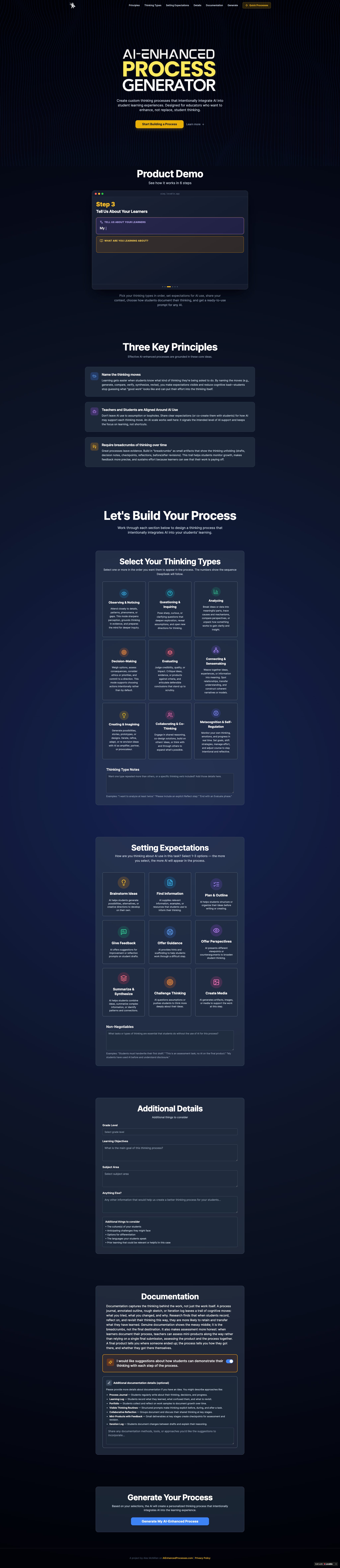
Alex McMillan’s AI Enhanced Process Generator was a key tool in helping me decide and communicate on which steps students might use AI to help and where I wanted them to work on their own. Full product scrolling screenshot below.
At first glance, it could have looked like a dream GenAI project. Students were using AI, building something for a real purpose. They seemed to be in the flow and moving quickly. Maybe a little too quickly.
I started noticing that students were at their computers, starting to build the chatbots, pretty early on. Some were even submitting the link to their final product in one class period. I felt a little panic and then decided to walk around and ask how things were going. What I found was disappointing: I couldn’t get to every student, there were some who couldn’t answer my questions about their process, and there were some who didn’t accept my suggestions to slow down and have another look at the first steps.
So I went back to the drawing board to rethink the approach and rebuild it for the next cohort. How could I get them to slow down and go through all the steps of design thinking? I was trying to find out how I could get them to hand in a ‘rough draft’, like we do with essay writing, but I was more interested in checking their process than their product. I didn’t really care so much about whether the chatbot was 100% functional. It was only one small piece of the project rubric.
Iterating with Gates
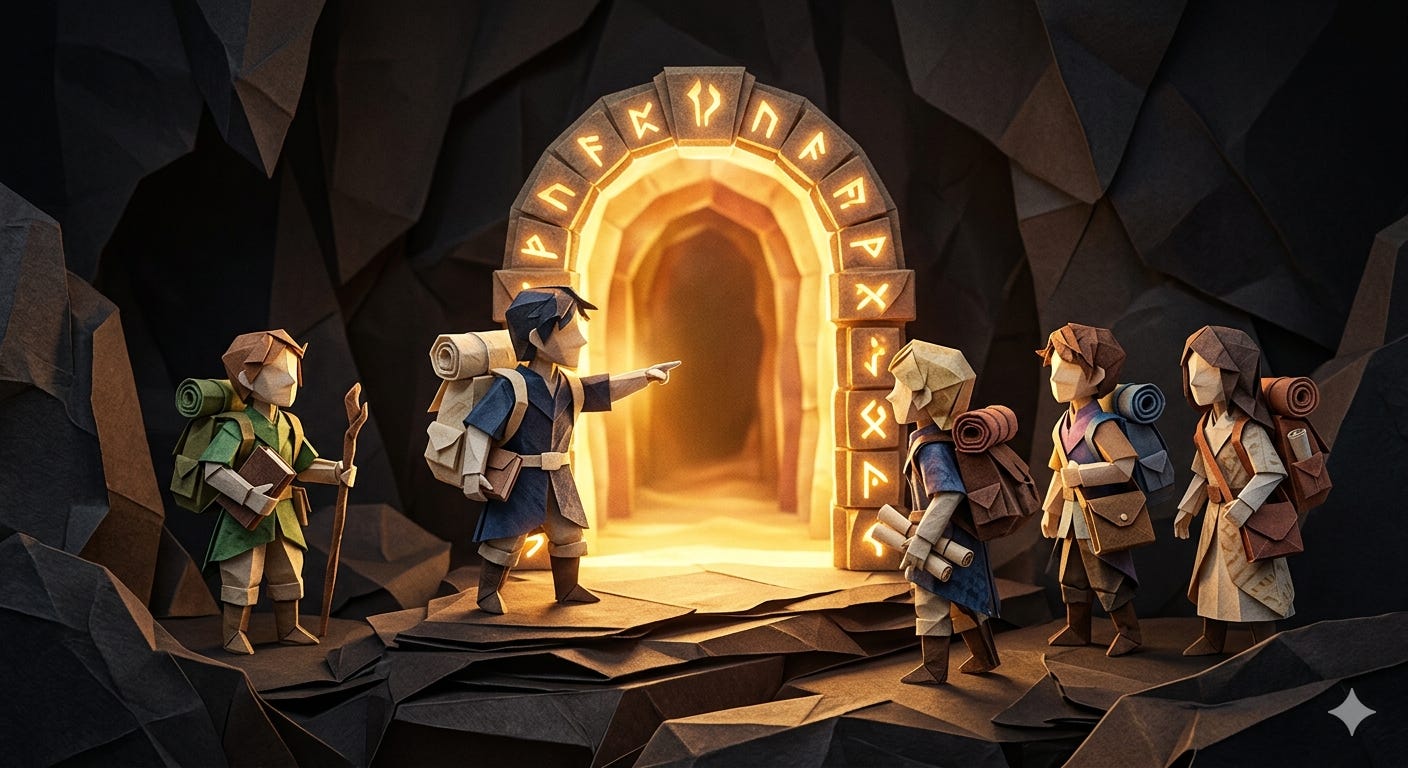
On my second iteration of this project, I decided to add some proficiency checkpoints: a pause and check that students have to take before they move to the next stage of the work. I called them gates because I had this image of a DnD player facing an important decision where they need to slow down, check equipment and consult with their party before going through.
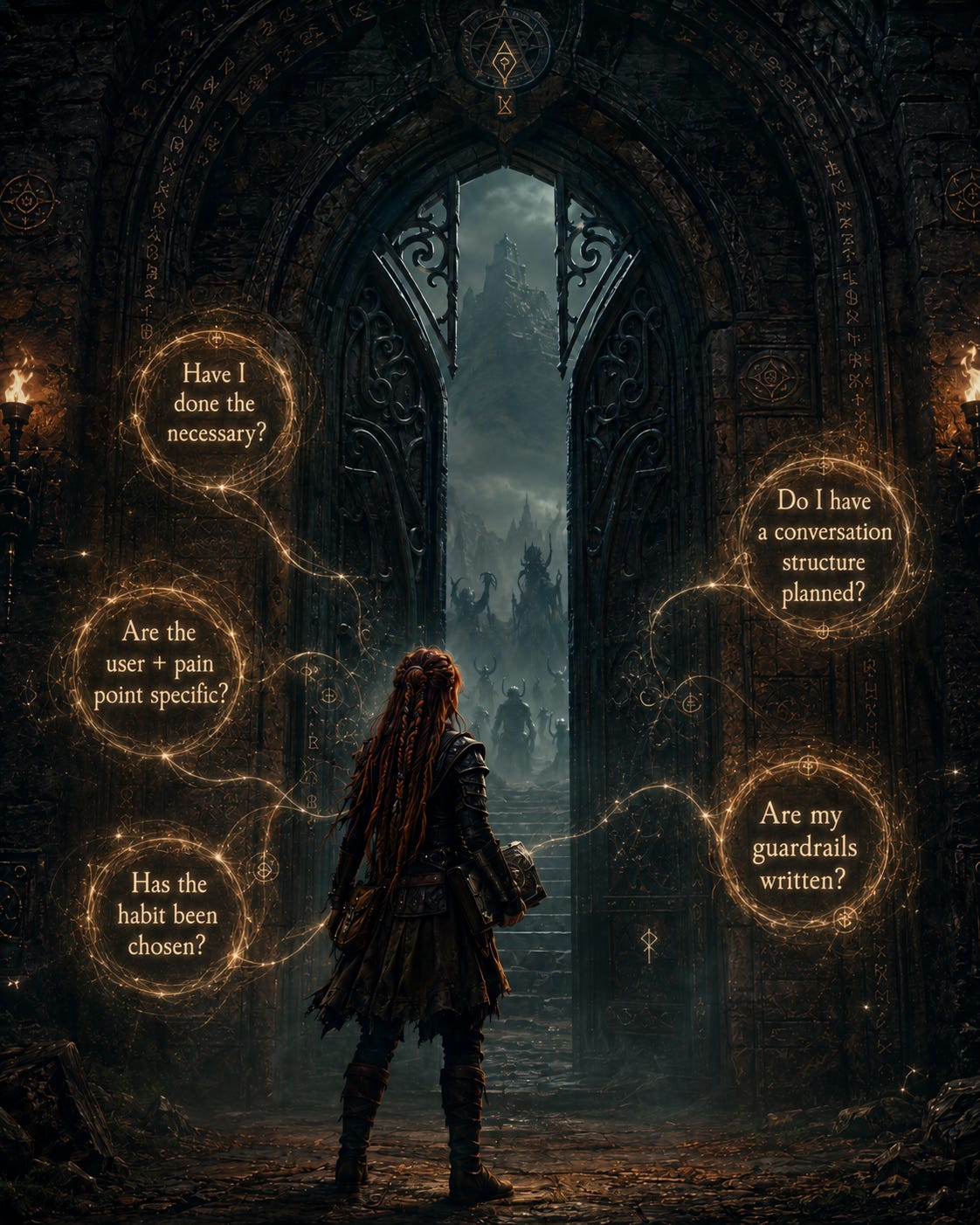
Here are the two I built:


Here’s what happened:
The pace slowed. Students appeared to be more thoughtful in their choices. They had to sit through the struggle and check their own work before asking me.
The talk changed. I was able to have short conversations with each student when they called me over to sign off. Over time, our talk became less about me checking their work and more about “Tell me where you are now.” “What do you like about this tool so far?”
Students started explaining choices. “What led you to that decision?” I was able to redirect them when I saw they were not thinking deeply enough and ask them some questions that made my coach’s heart flutter. “What was challenging here for you? And what else?”
They noticed problems earlier. Before they handed it in, they were able to make improvements because they could see those changes would make the final product stronger. The project became less about “my chatbot works” and more about “my chatbot is designed for a real learner.”
This felt like a real win. The gates did what I hoped they would do. They slowed the project down in the right places. They made the process more visible and gave students a reason to explain their choices before rushing ahead.
And this is the part I’m still thinking about. I feel a tension here about how much of the process I should define for them.
When I create something, I do not move through the work in a straight line. I start in one place, jump to building, get stuck, jump somewhere else, come back, revise, test, rethink, and slowly find my way through. That movement feels natural to me now, but it took years to build. Students are still learning what that kind of process feels like.
So the questions I’m sitting with now are: how do we give students enough structure to support their thinking, without turning the process into another set of steps they simply complete for us? How do I avoid a heavy process that will lead to more paperwork and overfunctioning for me?
Because if I build too many gates, or if every gate depends on my approval, I risk creating the very thing I’m trying to move away from: students waiting for me to tell them if they are doing it right, if they are allowed to continue.
So, the next version of this project might have students deciding where the gates go. It might involve more student self-checks, more peer testing, and more room for students to say, “This is what we tried. This is what we changed. This is why we’re moving forward.”
And probably more modeling from me, too. Not modeling the perfect process, but showing what it looks like to get stuck, change direction, reject an idea, return to an earlier version, and keep working. That feels important because students do not learn ownership by being dropped into total freedom. They learn it by practicing responsibility within a structure that helps them keep going.
The gate is not the point. The pause is the point. And what students do inside that pause is where the learning lives. That, to me, is one of the real design challenges with GenAI in the classroom. Yes, the tool can make the work move quickly. My job is to help students slow down enough to notice what they are doing, make real choices, and stay awake inside the process.
Monday-Ready Resources
Resource #1 - Checklist when Using Gates
Separate the gate from the grade.
If students associate checkpoints with judgment, they’ll perform readiness rather than demonstrate it. Frame the gate as a conversation. “Walk me through your thinking” lands differently than “let me check your work.”
Unpack the steps before students take them.
When you introduce a process, explain why each stage exists. Human psychology is consistent on this: we do not expend effort on things that feel arbitrary. If students understand why the empathy phase comes before the prototype phase, they’re more likely to take it seriously.
Use a student-facing checklist, then release some gates over time.
Before students call you over, they should be able to say yes to two or three concrete criteria. This shifts the first layer of accountability to them and changes what the teacher conversation is actually for. Over time, some gates can become peer-checked or self-certified. Early on, every checkpoint might involve the teacher. Once students show they understand the process, they can take on more of the checking themselves. This builds toward ownership without dropping them into total freedom before they’re ready. You can see how I built this into Step 5. Test on the Project Worksheet. (link below)
Create a process journal and build in feedback before moving on.
Ask students to document their thinking at each stage before they call you over. The journal becomes evidence of the work, not just the product. A peer can respond first; the teacher becomes the second reader. You will see how I did this through a Project Worksheet. (link below)
Practice the process more than once.
Research on habit formation and classroom routines suggests it takes roughly three iterations before a process becomes something students internalize and implement with any real fidelity. The first run is orientation. The second is where it starts to click. The third is where it becomes routine.
Go public with stuck moments.
Model a process where you make a wrong choice, back up, and explain why you changed direction. Do this more than once. If the only process students ever see is the polished version, the messy middle feels like a mistake instead of a sign the work is actually happening.
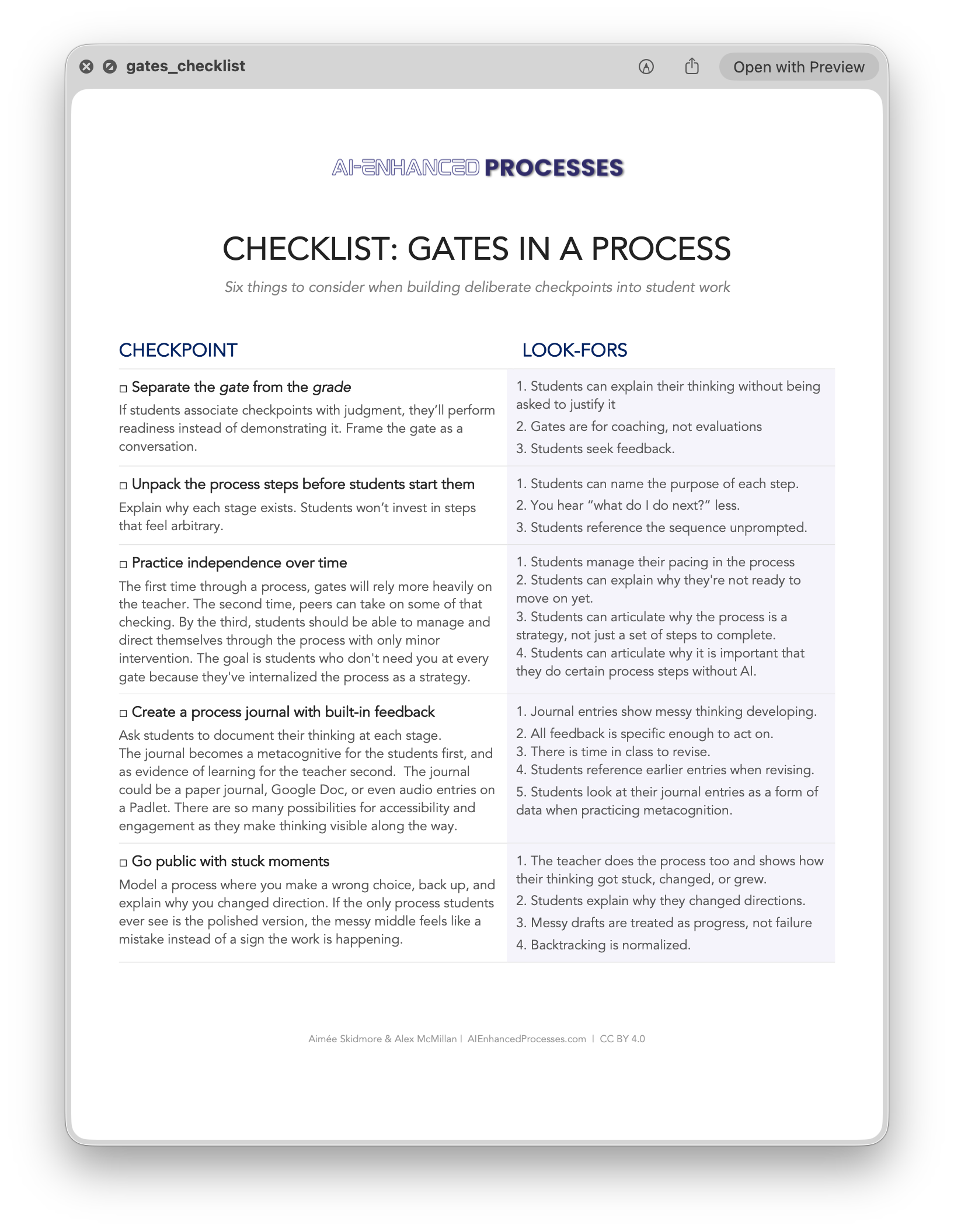
Resource #2 - Printable Checklist
Here’s a PDF you can print out, along with look-fors, for using a gate in your processes with students.

AI Disclosure
ChatGPT was used to help me code some pieces for the Teacher and Student Project Brief. It also helped check the project for safeguarding issues, and gave the idea to have students think about and build in guardrails. I used it to generate the Project Rubric.
Image of the gate created with ChatGPT to represent the idea of a gate: a pause where students make their thinking visible before moving on.
Elements of the article leveraged AI as a supporter of language clarity, not idea generation. All conceptual content of this article was created either by Aimée or Alex, or both in partnership.
The Project Links
Check out the project here referenced in the article.
TEACHER version - https://buildhomassistantteacher.netlify.app/
STUDENT version - https://buildhomassistantstudent.netlify.app/